You know that feeling when you unlock your phone to check one thing and suddenly 20 minutes have vanished? I’ve been there more times than I can count, and it’s exactly why a screen time detox can be a game-changer. This article walks you through 12 simple, actionable steps to cut back on device use without going completely offline, so you can reclaim your focus, improve your sleep, and feel more present in your day.

Key Takeaways
- Set specific no-phone zones like the bedroom and dining table to break the checking habit.
- Turn off all non-essential notifications to reduce interruptions and lower stress.
- Replace screen time with a planned hobby, such as reading or walking, to fill the gap.
- Change your screen to grayscale in settings to make it less visually appealing.
- Start with small goals, like cutting social media by 15 minutes a day, for lasting change.
What is a Screen Time Detox?
A screen time detox means intentionally cutting back on how often you reach for your phone, tablet, or laptop. It’s not about going completely offline, but about finding a healthier balance. The goal is to reclaim hours for things that matter, sharpen your focus, and ease the strain that constant scrolling puts on your body and mind.
1. Track Your Current Usage
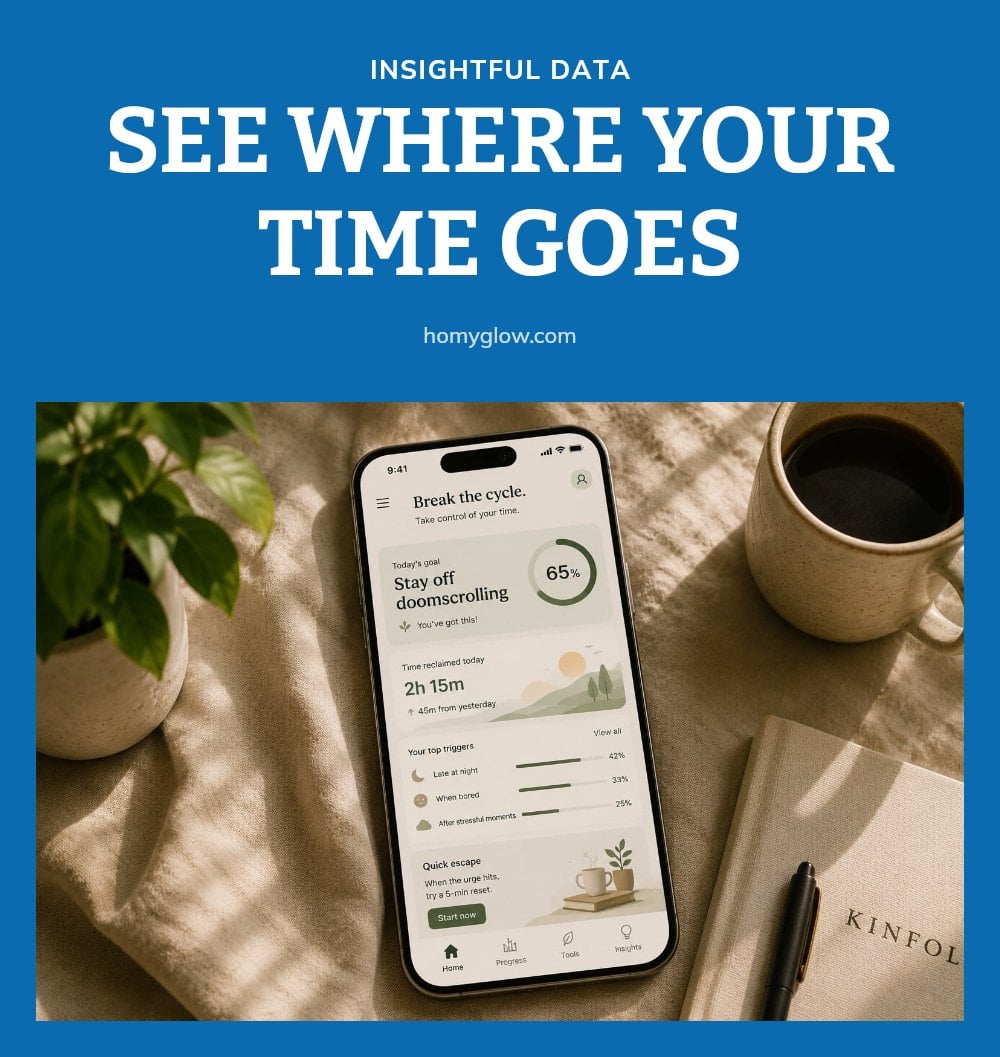
Before you change anything, check your current numbers. Most smartphones have a built-in digital well-being dashboard that shows your daily and weekly averages per app.
My tip: Open your phone’s settings, find the screen time or digital balance section, and review the breakdown. Seeing that I spent 45 minutes on one app shocked me into action. This awareness is the first step toward spotting your biggest time sinks.
2. Set Specific ‘No-Phone’ Zones
Choose specific spots in your home where screens simply don’t belong. The bedroom and dining table are strong candidates.
When I started charging my phone in the kitchen instead of next to my bed, I stopped reaching for it first thing in the morning and last thing at night. This simple change breaks the habit of mindlessly picking up your device in those trigger zones.
3. Schedule Screen-Free Times
Block out parts of your day that stay screen-free. The first hour after waking and the last hour before bed are ideal starting points.
Blue light from screens can suppress melatonin, the hormone that helps you fall asleep, so I always put my phone away a full hour before I plan to sleep. This creates a clear boundary that protects your wind-down routine and your morning calm.
4. Turn Off Non-Essential Notifications
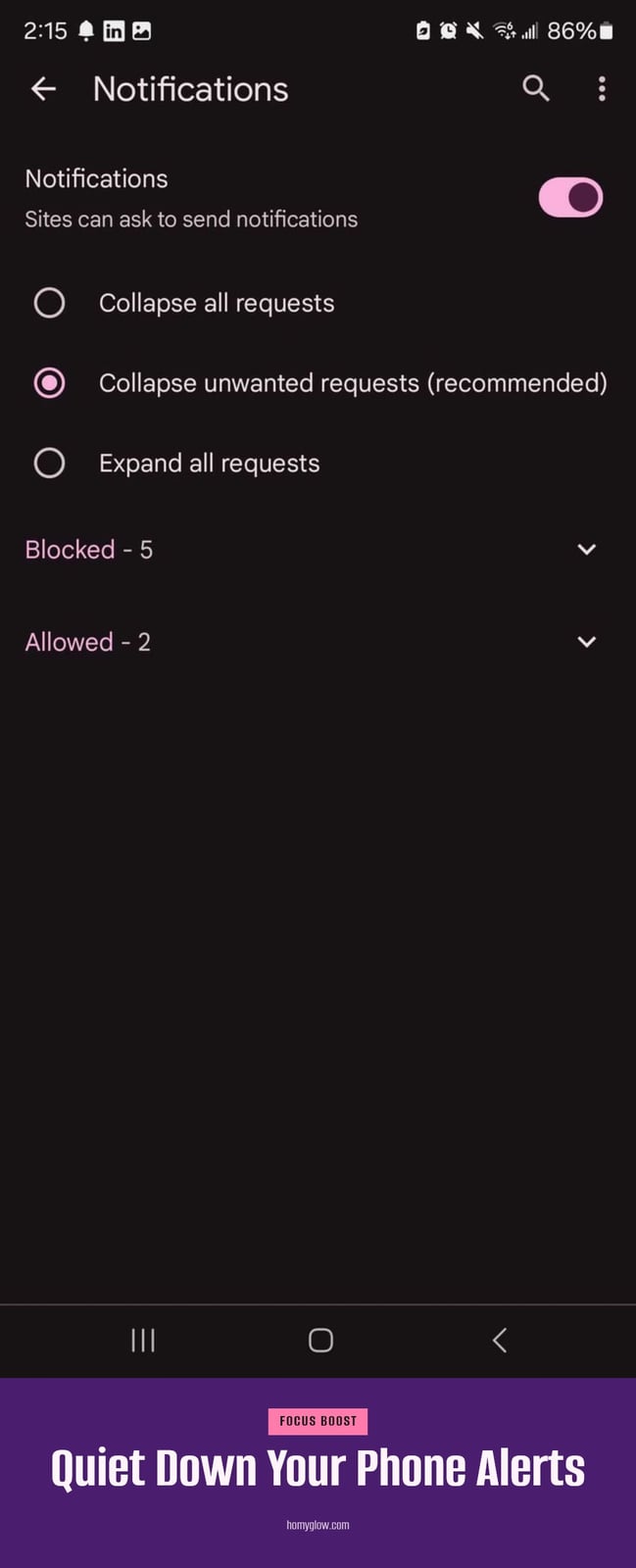
Constant pings and alerts from apps disrupt your focus and keep your stress levels higher than you realize. My tip: Open your phone’s notification settings and turn off every alert that isn’t strictly necessary, social media likes, news updates, game invites. You’ll get fewer interruptions and stay engaged with whatever you’re doing.
5. Replace Screen Time with Hobbies

Identify hobbies you enjoy but rarely make time for, like reading, sketching, or a short workout. When I feel the urge to scroll out of boredom, I grab a book or head outside for a walk instead. Having a planned alternative ready fills the time and keeps you from slipping back to your screen.
6. Practice Digital Sabbaths
Set aside a few hours or a full day where you intentionally disconnect from every device. It feels challenging at first, but completely unplugging resets your relationship with technology. You remember what life feels like without constant notifications and scrolling.
7. Change Your Screen to Grayscale

Many phones include a grayscale mode that strips all color from your screen. My tip: Turn it on in your accessibility or display settings. A black-and-white screen is far less visually appealing, so you’ll feel less drawn to pick up your device throughout the day.
8. Use Your Phone’s Built-In Limits
Your phone’s tracking tools are useful, but the real power is in the built-in limits. Go into your device’s digital well-being settings and set a daily time cap for specific apps or categories like social media or games. When I hit my limit, the app locks me out, and I’m forced to find something else to do. My tip: Start with a limit of 15 minutes shorter than your current average, then adjust down gradually. These automated guardrails turn good intentions into enforced habits.
9. Engage in Offline Socializing
Make an effort to connect with friends and family in person instead of relying on texts or video calls. When I meet friends, we make a point to put our phones away, so conversations stay focused and genuine.
Face-to-face interaction is crucial for mental well-being and can reduce feelings of social comparison that often come from scrolling through others’ curated lives. Plan a coffee date, a walk, or a simple dinner to build these real connections.
10. Be Mindful of Boredom Triggers
Notice when you automatically reach for your phone out of boredom or habit. That split-second urge is your trigger. Instead of scrolling, try a quick mindfulness exercise: take three slow breaths or simply observe your surroundings for 30 seconds. Understanding that boredom is a cue, not a command, helps you choose a different response. Over time, this awareness makes the habit easier to break.
11. Gradually Reduce Your Usage
Going cold turkey rarely sticks. It usually leads to burnout and a quick relapse. My tip: start with small, manageable goals, like reducing your social media time by 15 minutes a day. That small cut feels doable and builds momentum.
- Pick one app or habit to trim first, not all of them at once.
- After a week, trim another 15 minutes or add a second boundary.
- Gradual reduction is more sustainable and leads to lasting change.
12. Use a Traditional Alarm Clock
Use a traditional alarm clock: Charge your phone outside the bedroom, such as in the kitchen, to remove the temptation of late-night scrolling and early-morning checking. A separate alarm clock keeps your phone out of reach, which improves sleep hygiene by reducing blue light exposure before bed and preventing the habit of checking notifications first thing.
- Avoid charging your phone on the nightstand. Place it in another room so you have to get up to turn off the alarm.
- This simple switch helps you wake up without immediately diving into emails or social media, giving your morning a calmer start.
When to Seek Professional Help
If you experience persistent eye strain, headaches, or vision changes, consult an eye care professional. Prolonged screen use can contribute to digital eye strain, and a doctor can recommend specific solutions like blue-light filtering glasses or eye exercises.
If reducing screen time leads to significant anxiety, severe withdrawal symptoms, or interferes with your daily life, consider speaking with a mental health professional. They can help address underlying triggers such as boredom, social comparison, or anxiety that may drive excessive use.
Be mindful of children’s screen time. The American Academy of Pediatrics recommends no screen time for children younger than 18-24 months (except video chatting) and limited to one hour per day of high-quality, co-viewed programming for ages 2-5. Consult pediatric guidelines or a pediatrician if you have concerns about your child’s development.
Ensure that cutting back on screens doesn’t lead to social isolation. Find healthy ways to connect with others offline, such as joining a club, taking a class, or scheduling regular in-person meetups with friends.
Frequently Asked Questions
How quickly can I see results from a screen time detox?
Many people notice improvements in sleep and focus within a few days to a couple of weeks. The exact timing depends on how much you reduce usage and which strategies you use. Consistency matters more than speed, so give yourself at least two weeks before judging the outcome.
What are the main health risks of too much screen time?
Excessive screen time can lead to digital eye strain, which causes dry eyes, blurred vision, and headaches. It also disrupts sleep by suppressing melatonin production, and the sedentary behavior associated with long screen sessions is linked to an increased risk of obesity and other health issues. If you experience persistent symptoms, see an eye care professional.
Can screen time affect children differently than adults?
Yes, children’s developing eyes and brains are more sensitive to blue light and constant stimulation. The American Academy of Pediatrics recommends no screen time for children under 18-24 months (except video chatting) and a limit of one hour per day of high-quality, co-viewed programming for ages 2-5. Excessive use can impact development, so follow pediatric guidelines.
Is it better to go cold turkey or gradually reduce screen time?
Gradual reduction is usually more sustainable. Going cold turkey often leads to burnout and relapse, especially if you haven’t planned alternative activities. Start with small, manageable cuts, like reducing social media by 15 minutes a day, and build from there. This approach helps you adjust without feeling deprived.
Final Thoughts
My tip: pick one or two steps from this list and stick with them for a week before adding more. You might notice better sleep within a few days and sharper focus within a couple of weeks. The goal isn’t perfection, it’s a healthier balance that leaves you feeling more in control of your time and attention.
This article is for general informational purposes only and does not constitute medical or professional advice. Screen time habits vary by individual, and persistent eye strain, headaches, or anxiety related to device use should be discussed with a doctor or mental health professional. Always consult a qualified expert for a serious or ongoing concern.